- Employer and NIN numbers to be used in this portal must have already been registered with the Seychelles Pension Fund. If they are not please contact SPF.
- Employer and NIN numbers must be entred without spaces or ANY special characters i.e. numbers only.
- If you already have your pension report please click here
- Or generate your own pension report using the table on the Compulsory Contribution page
- Enter employer number
- Click new entry for each individual employee’s record
- VERPEN and VERPEEN*? Voluntary contribution is optional.
- Press enter ONCE ONLY after all fields are completed. The application will automatically update your records and calculate the contribution amount.
- After verifying your records in the payroll table press "Attach Payment "
- Press PAY NOW
- If you have added a payment you should not have you can remove it using the steps as per Image A (click on the image to enlarge)
We do not store your bank card details, it has to be typed each time you do a card payment.
To can also view your Payment History in My Account section.
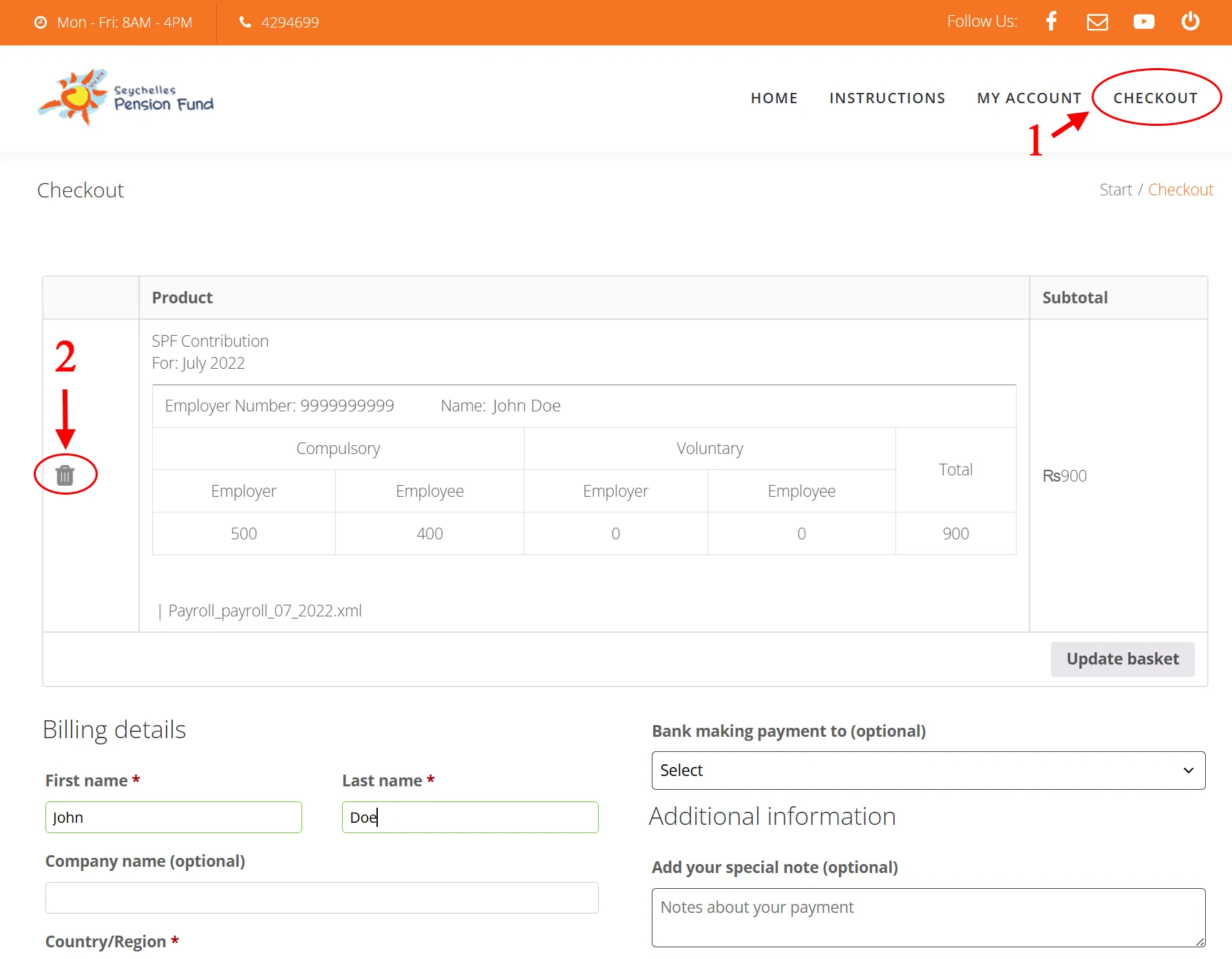
Image A